
Anyone that knows me knows that at times I will do a lot of walking. Training for a 60 mile walk every year requires a lot of walking, but the thing that I have noticed is that after I walk on the event I stop walking so much. I figure that I’m done for the year and should be good until I am training for the next year. Unfortunately, when I stop training I start gaining weight.
So the question that I kept asking was how do I ensure that I stay active during periods where I’m not knee deep in training. The other question is how do I know that I’m staying active enough to avoid packing on the pounds?
A couple of months ago, a friend of mine showed me his Fitbit and I thought it might answer both of those questions. Fitbit is one of the many products out there right now that specializes in providing you data about your physical activity so that you know what changes you need to make. I’m going to run through some of the features really quick that I like most about it.
 Steps
Steps
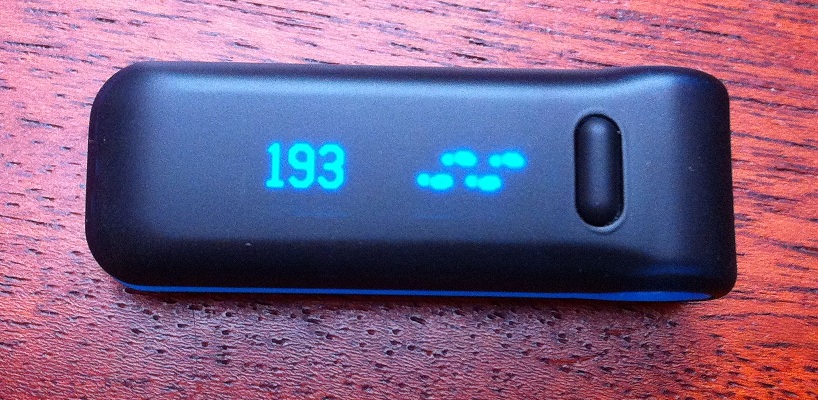
At it’s core, the strength of fitbit is it’s advanced pedometer. It’s really accurate in counting your steps because of a built in accelerometer (what your iPhone has in it to detect motion). In addition to counting your steps throughout the day, fitbit will also track in five minute increments at what time of day the steps actually happened. It will upload this data wirelessly through a base station that you can then view through the fitbit web site. On the device itself, I can quickly see throughout the day what my current steps are so I know whether I need to take a break from what I am doing for a quick walk.
The American Heart Association recommends taking 10,000 steps a day for heart health. That’s about five miles and by using the Fitbit you can see how close you are to that goal. Incidentally, I think walking this amount daily will also help me lose and keep off the weight.
Stairs
In addition to counting the number of steps you take, the Fitbit Ultra also has a built in altimeter that will track increments of 10 feet and tell you when you have climed the equivalent of a flight of stairs. I just got the ultra recently and haven’t used it a whole lot, but it’s kind of cool to look on the web page and see that you have climbed the equivalent of the leaning tower of Pisa.
Web
Ok, so the web page is not really a part of the actual fitbit device, but the free site when paired with a fitbit is pretty cool. In addition to all of the data mentioned above it allows you to set target weight goals and will give you guidance for how many calories you have burned and how many you can eat that day to get to your goal by a certain time. You can also log what you eat in a day and it will combine all of that information to let you know how many calories you have left.
The web page also has a social component to it and you can friend other Fitbit users so that you can see how your steps compare to theirs (and call them a couch potato if they warrant it!). The social aspect gives you a rolling 7 day average of steps so that you can see who was really getting out there and walking over the past week.
The last piece I’ll add about the web page is that you can log activities. If you have been doing something that Fitbit doesn’t track very well (for instance a circuit workout or raking leaves) you can manually add it in (or select from a list of pre-defined activities) and it will add the calorie burn to your numbers it already has from your steps.
If you are the kind of person that likes information and having that information motivates you to do more then I would highly recommend Fitbit. I really like getting feedback on how active I have been throughout the day, even if it’s on a day that the numbers aren’t so good.